
A guide to two-screen game night
Party games for iPhone Duo.
iPhone Duo has a display on each side. Set it half open between two people and each one sees a different screen, which is exactly what party games need.
What games can you play on iPhone Duo using both screens?
Games where one side has to see something the other side cannot. Word-guessing games put the secret word on one display and the guessing on the other. Charades-style games show the word to the actor only. Drawing games let one player draw while their team watches the picture build on the far display. DuoSwitch plays all three: Describe, Act It Out and Draw, plus Mixed, which rotates them.
How two-screen play works
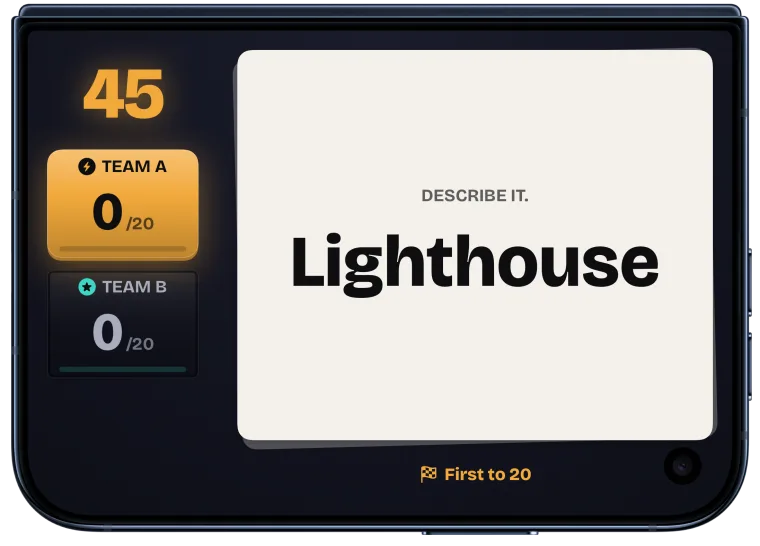
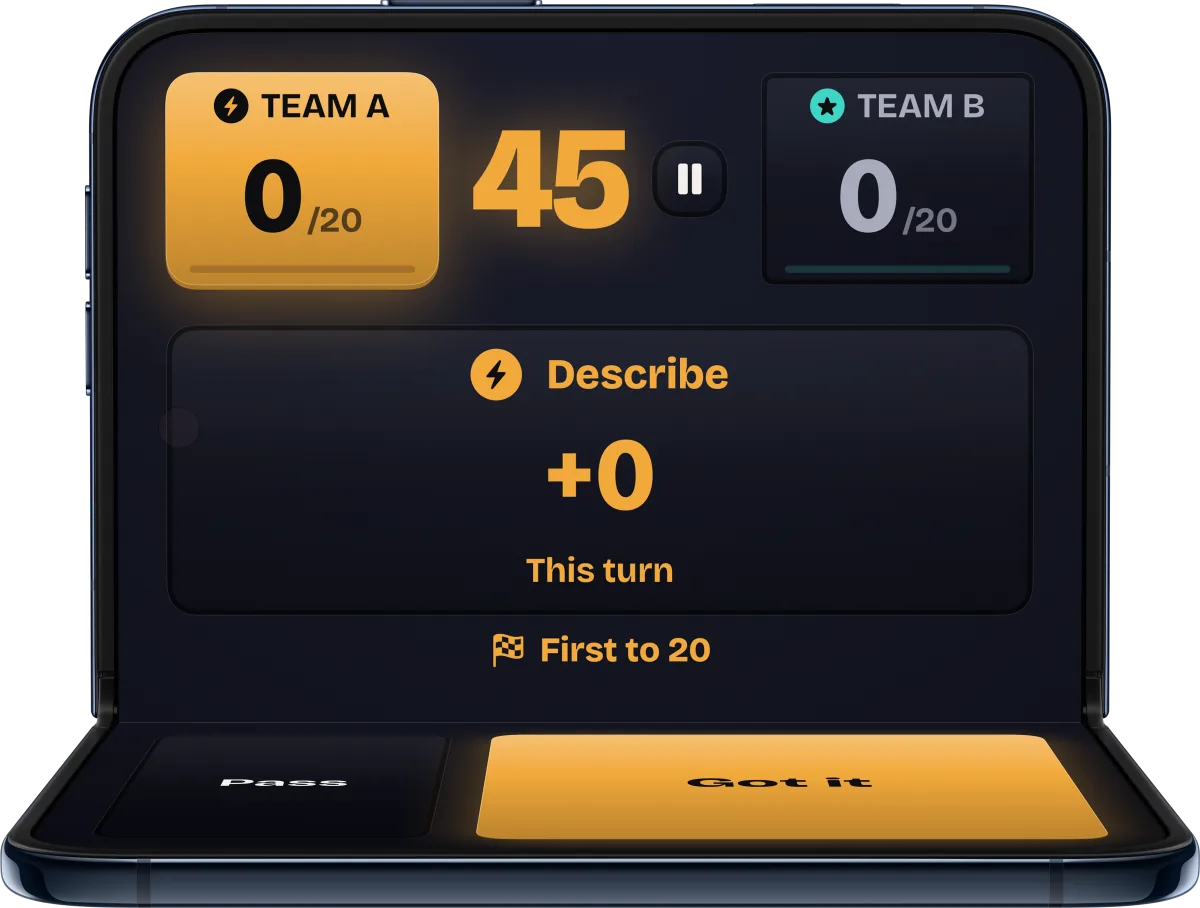
On an ordinary phone, a party game hides the word by passing the phone around. iPhone Duo can stay put. Open it partway, like a small laptop, and stand it on the table between the teams. The inner display faces one side of the table and the outer display faces the other, so two groups can look at two different screens at the same moment.
DuoSwitch uses that in every round. The playing team sends one player, the clue-giver or the drawer, to the side that shows the word. That player sits with the other team, who can see the word and call fouls. The rest of the playing team guesses from the other side. Between rounds the handoff screen says who sits where.
The games in DuoSwitch
Describe
The word appears on the outer display. The clue-giver describes it without saying it, and their teammates on the inner side shout guesses and tap Got it. Free with unlimited matches.
Act It Out
The same setup, with no talking. The actor reads the word on the outer display and acts it out for the team facing the inner display. One complete match free.
Draw
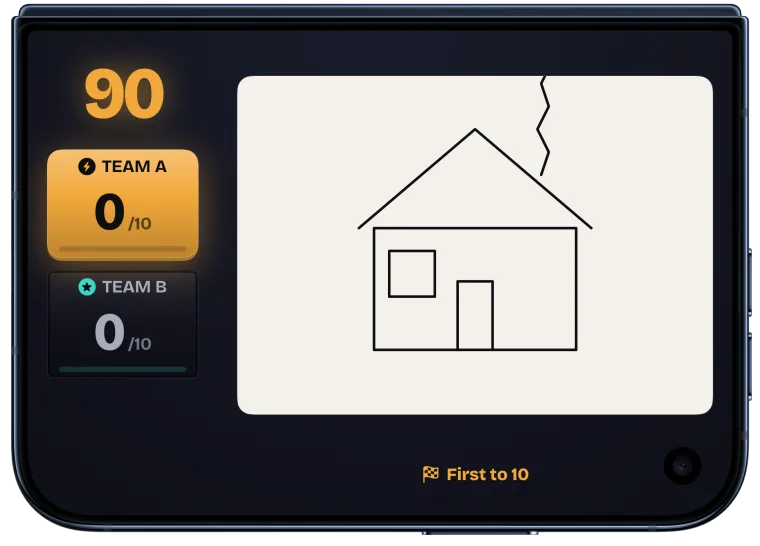
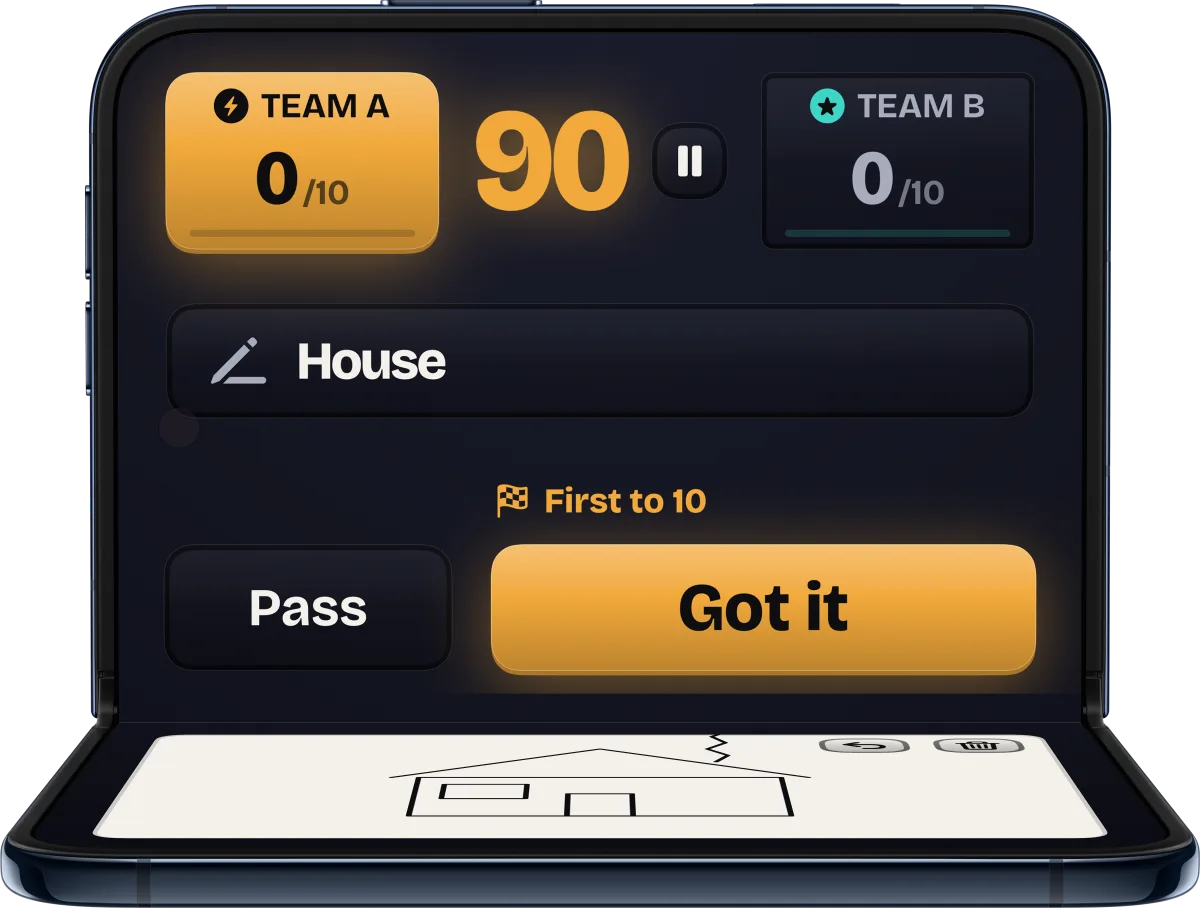
Draw turns the device around: the drawer sketches the prompt on the inner display, which is the one that takes touch, and their teammates guess from the live drawing on the outer display. Draw is available only on an open iPhone Duo. One complete match free.
Mixed
Each round plays the next game in turn: Describe, Act It Out, then Draw. One complete match free.
What makes a game work on two screens
- One secret per side. Each display shows only what the people facing it are allowed to see.
- Nobody holds the device. It stands on the table for the whole round, so everyone can see and nobody has to reach.
- Controls in one place. DuoSwitch keeps every button on the inner display; the outer display only shows the word, the drawing, the scores and the clock.
- A shared start. Ready starts a 3, 2, 1 count-in on both displays, so the word and the timer appear together.
Setting up a match
- Split into two teams and choose a game.
- Pick the word difficulty (Easy, Normal or Hard), the round time and the points to win.
- Open iPhone Duo partway and stand it on the table between the teams.
- Follow the handoff screen: it shows which player sits on which side. Tap Ready to start the count-in.
Questions.
Does DuoSwitch work on a closed iPhone Duo or another iPhone?
Yes. Closed, iPhone Duo plays like any other iPhone: Describe, Act It Out and Mixed on one screen, in portrait or landscape, passing the device between teams. Draw needs an open iPhone Duo.
Does it work on iPad?
Yes, on iPad with iPadOS 27.0 or later, in every orientation, with Describe, Act It Out and Mixed on one screen.
How many players do we need?
Two teams of at least two players each: one player gives the clues or draws, and at least one teammate guesses. In bigger teams, a different player can take the clue-giver seat each round.
Is it free?
DuoSwitch is a free download. Describe is free with unlimited matches, and Act It Out, Mixed and Draw each include one complete free match. A single one-time purchase unlocks unlimited play in every game. There are no subscriptions or ads.
Do we need the internet?
No. The 999 prompts per language are stored on the device, so a match needs no account and no connection. The app is available in nine languages.