01
Free · Unlimited matches
Describe
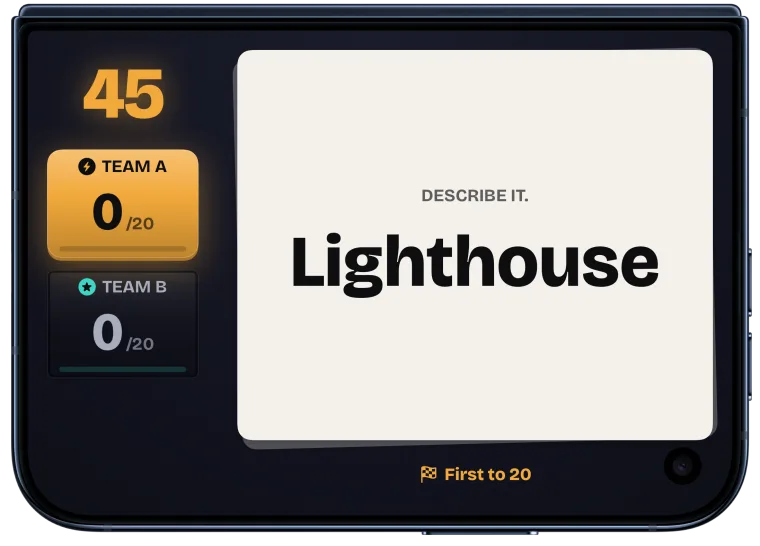
Give clues without saying the word. Your teammates call out answers before time runs out.
 DuoSwitch
Play. Switch. Repeat.
DuoSwitch is a fast, face-to-face party game for iPhone, iPad and iPhone Duo. Describe the word, act it out or draw it while your team races the timer.
Free download · iOS and iPadOS 26.0 or later

Scan to install on your iPhone or iPad
Pick the next round
Every mode uses the same simple rhythm. One team plays, the timer runs, then the teams switch.
Free · Unlimited matches
Give clues without saying the word. Your teammates call out answers before time runs out.
One free match a day
No talking. Use gestures, movement and quick thinking to lead your team to the answer.
One free match a day
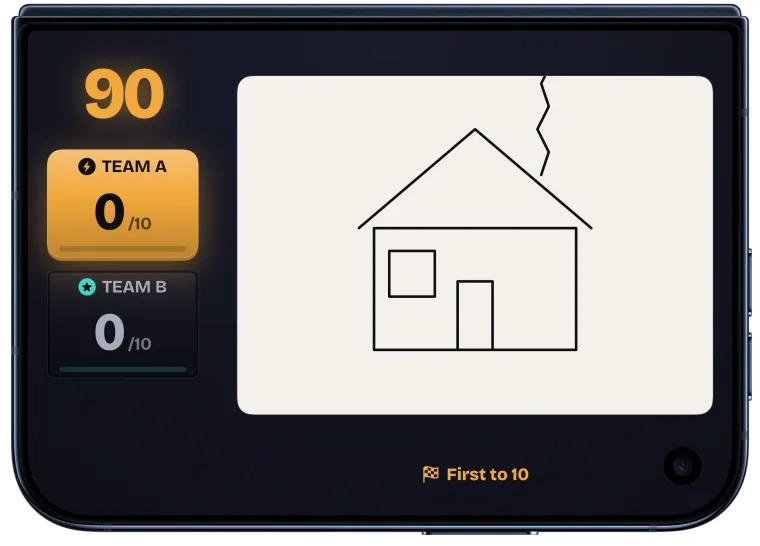
Sketch the prompt on the inner display while your teammates guess from the live drawing on the outer display. Draw needs an open iPhone Duo.
One free match a day
Let each round switch between Describe and Act It Out. On an open iPhone Duo, Draw joins the rotation.
How to play
No account, setup or internet connection is needed once the app is ready.
Choose a game, match length and round time.
One player keeps the word on screen while their teammates guess. The other team watches for fouls.
Hand the device to the other team, or follow the seating shown on an open iPhone Duo. The first team to the target score wins.
Built for the device you have
On iPhone, play in portrait or landscape. On iPad, every orientation works and the layout uses the larger screen. Set an open iPhone Duo between the teams and its two displays keep the word on one side and the guessing on the other.
See both displays Check device compatibilityTwo displays
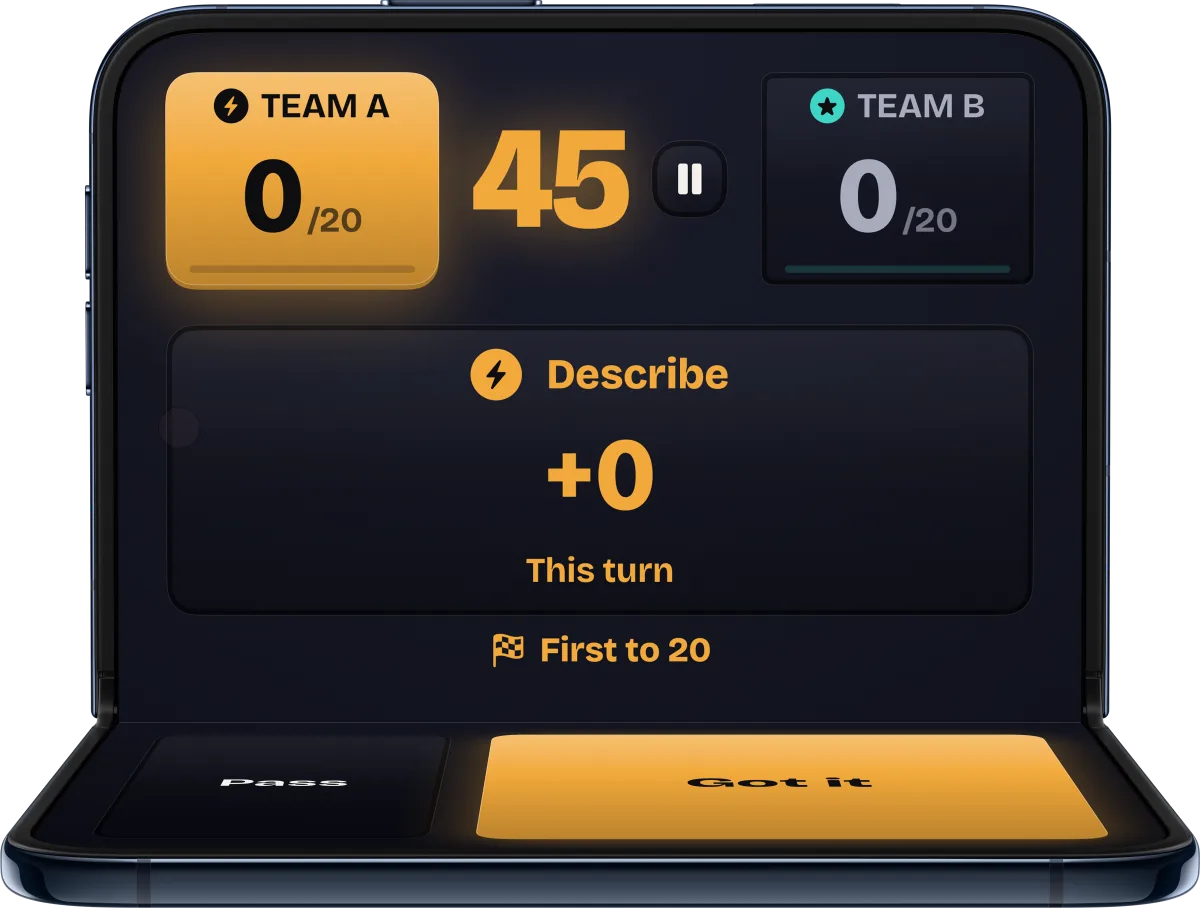
Set an open iPhone Duo on the table between the two teams, like a small laptop. Each display shows its own half of the round, and every control stays on the inner display. With camera access, a small camera view on the inner display shows the team across the table. The image is never recorded or sent, and without it the games play on the inner display.
How two-screen party games workInner display. The clue-giver’s teammates guess and tap Got it. They never see the word.
Outer display. The clue-giver reads the word, sitting with the other team.
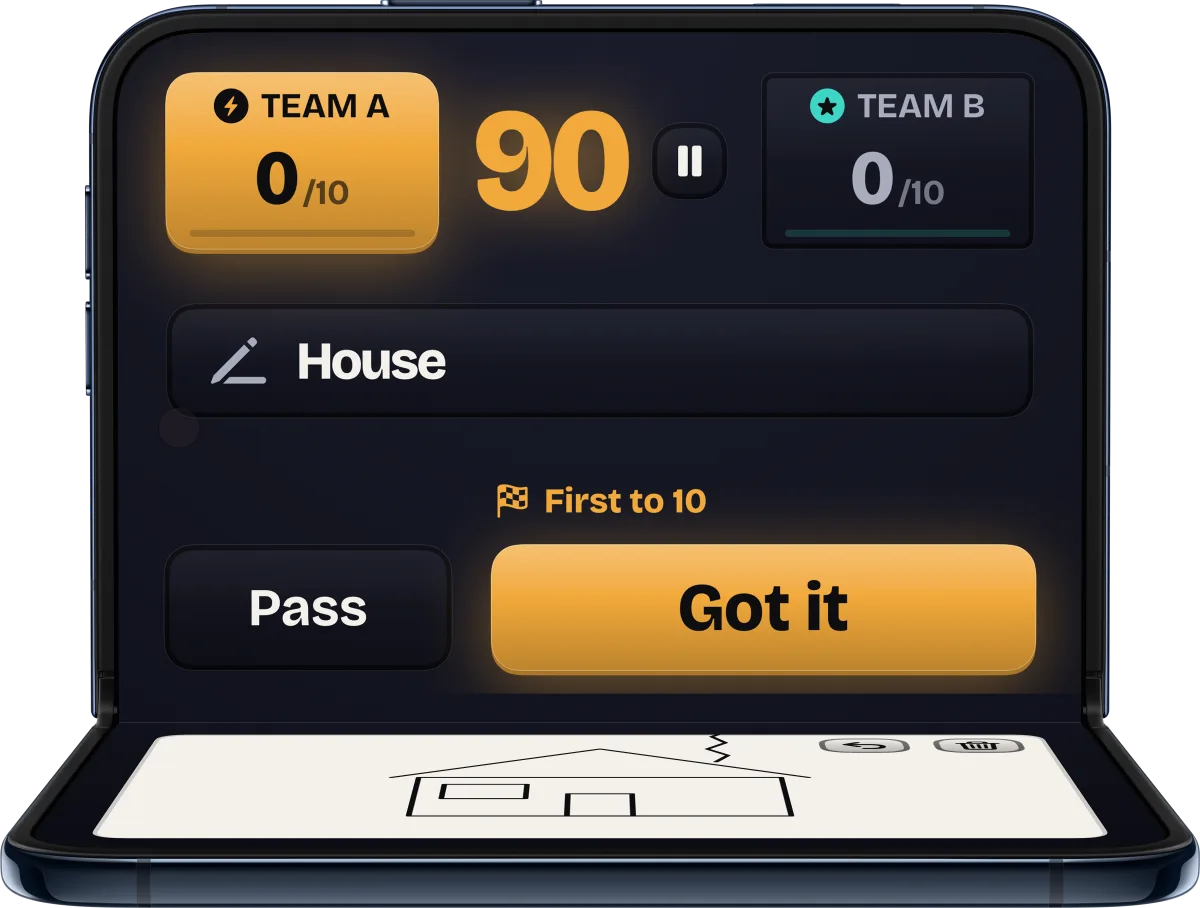
Inner display. The drawer sketches the prompt while the other team watches.
Outer display. Teammates guess from the live drawing. Draw is available only on an open iPhone Duo.
Make it yours
Set up the match the way your group plays, then let the app keep score.
Give both teams their own names before the match starts.
Pick how tricky the words are. Every game has its own word tiers.
Word games play 30, 45 or 60 seconds a round. Draw plays 60, 90 or 120.
Race to 10, 20 or 30 points, or 5, 10 or 15 in Draw.
Ready starts a 3, 2, 1 count-in, so the word and the timer appear together.
Words you have already played wait until every unseen word has had its turn.
Finished scores stay on your device. Clearing them keeps your purchase and today's free matches.
Stop a round at any time and pick it up where you left off.
Keep playing
Describe stays free with unlimited matches. Act It Out and Mixed each give you one free match every day, and so does Draw on an open iPhone Duo. There are no ads. A single in-app purchase unlocks unlimited play in every game.
The App Store shows your local price. The purchase can be restored with the same Apple Account.
Free on the App Store

Have a question? We’re here to help.